🚀 Coming soon — join the waitlist for early access

Paste it, say it, or share it.
Let AI schedule it.

OneTap reads a message you paste, share, or speak, and turns it into a calendar event, alarm, reminder, or categorized expense — no typing dates, times, or amounts in by hand. Review before anything's created, then confirm with one tap.

No spam. One email when OneTap is ready — that's it.

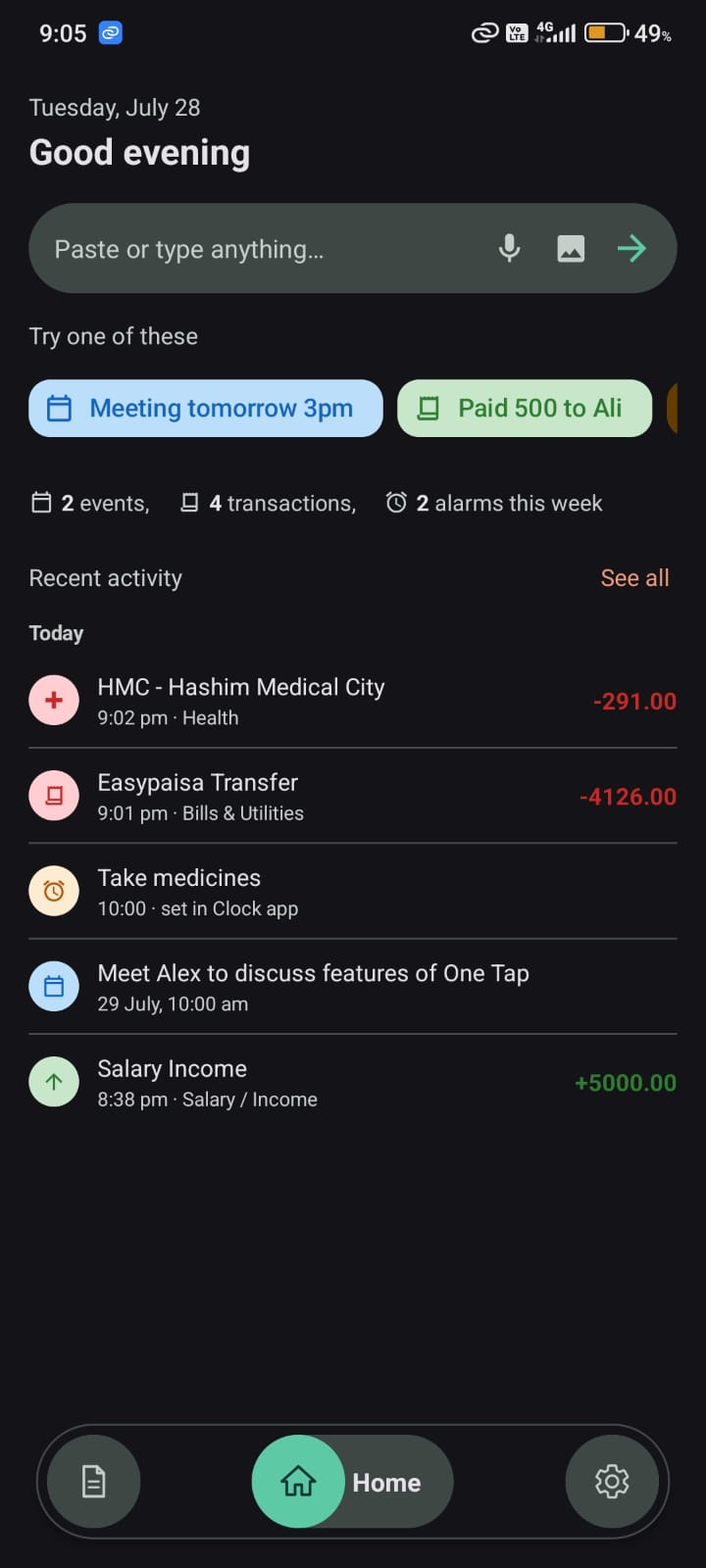
OneTap Home screen showing quick actions and recent activity
Your data stays yours

Private by design, not by accident.

No ad trackers, no data reselling, no account to break into — just your reminders, events, and numbers.

🔒

No accounts, nothing to leak

OneTap works with no sign-in and no password. Almost everything lives on your device — we don't operate servers to store it on in the first place.

Nothing happens without your OK

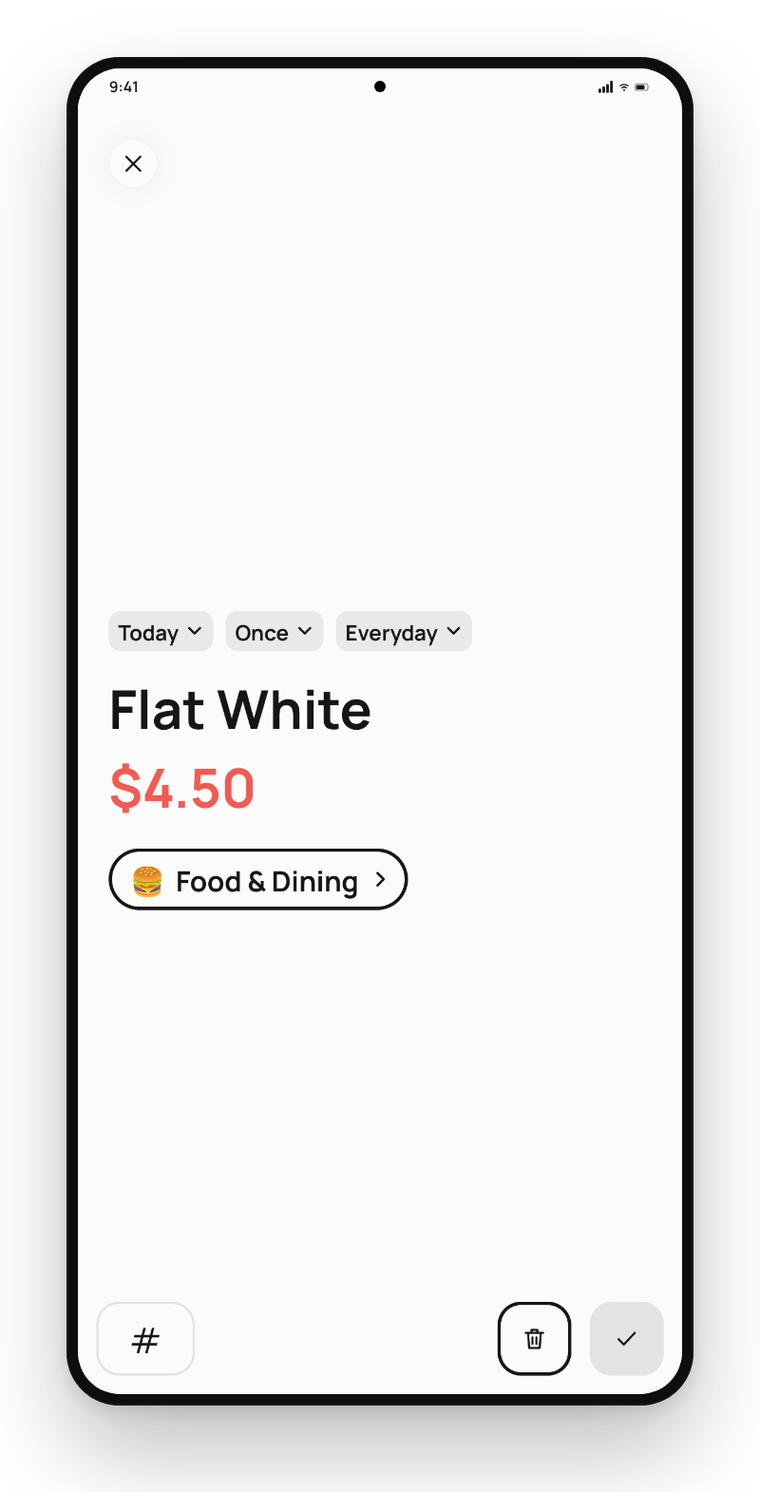
Every event, alarm, reminder, or expense shows on an editable preview card first. Review it, change it, or cancel it — before anything is ever created.

🎯

Narrowest permission possible

Backup uses Google's restricted drive.appdata scope. The mic only listens while you're actively tapping to talk — never in the background.

Why OneTap

The busywork OneTap takes off your plate

Six things most phones still make you do by hand — and how OneTap removes each one.

😩 Without OneTap

  • Typing every event by hand from a text message
  • Screenshots of receipts pile up and never get logged
  • "Was 'next Friday' the 24th or the 31st?"
  • Digging through Settings to change brightness or go silent
  • Worried an AI app might create the wrong thing automatically
  • Losing everything if you switch or lose your phone

✨ With OneTap

  • Paste, share, or speak it — OneTap fills in the title, date, and time itself
  • Share the screenshot — OneTap reads it and logs the expense, even itemized
  • Understands relative dates and recurring phrases, and converts them exactly
  • A floating bubble with voice commands — hands-free, from any app
  • Nothing happens without your OK — review and edit before confirming
  • One-tap backup and restore, straight to your own Google Drive
Everything you need

Built to answer one question:
"what do I actually have to do by hand?"

As little as possible. Here's what OneTap already handles for you.

01

Paste, share, or speak it — OneTap fills in the rest

Three ways in, one result: no typing dates, times, or categories by hand.

  • Paste any message — a text, an email, a note — and OneTap works out what it is
  • Share text straight from any app's share sheet, already read and interpreted
  • Tap the floating bubble and just say it, completely hands-free
OneTap real-time voice capture screen with live transcript
02

Understands dates, reviews before it's real

Nothing touches your calendar until you say so.

  • "Tomorrow," "in 20 minutes," "every Monday" — converted to exact dates and times
  • Edit the title, date, time, duration, or location on an editable preview card first
  • Only ever shows the events OneTap created for you — never your whole calendar
OneTap Events tab showing events created from your messages
03

Every expense, categorized automatically

Say it or paste it — OneTap sorts it out, literally.

  • Speak or paste a purchase and it's sorted into a category instantly
  • A spending breakdown chart so you always know where it went
  • Net income vs. expense for the month, tracked without a spreadsheet
OneTap expenses pie chart broken down by category
04

Snap a receipt, get one itemized transaction

Feels like editing the receipt itself — recalculated live, confirmed by you.

  • Share a photo of a receipt and OneTap reads every item, quantity, and price
  • Add, remove, or edit any line — subtotal, tax, and total recalculate instantly
  • One transaction for the whole receipt, itemized — nothing saves until you confirm
OneTap itemized receipt review card with live-recalculating totals
05

Back up to your own Google Drive, one tap

Your numbers stay yours — we just help you keep them.

  • One tap backs up every transaction, event, and alarm history entry
  • Restore it all again on any device, any time
  • Uses Google's narrowest drive.appdata scope — OneTap can't see the rest of your Drive
OneTap Settings screen with Google Drive backup and restore
More to explore

More of OneTap

A few more real screens, side by side.

Every expense, organized

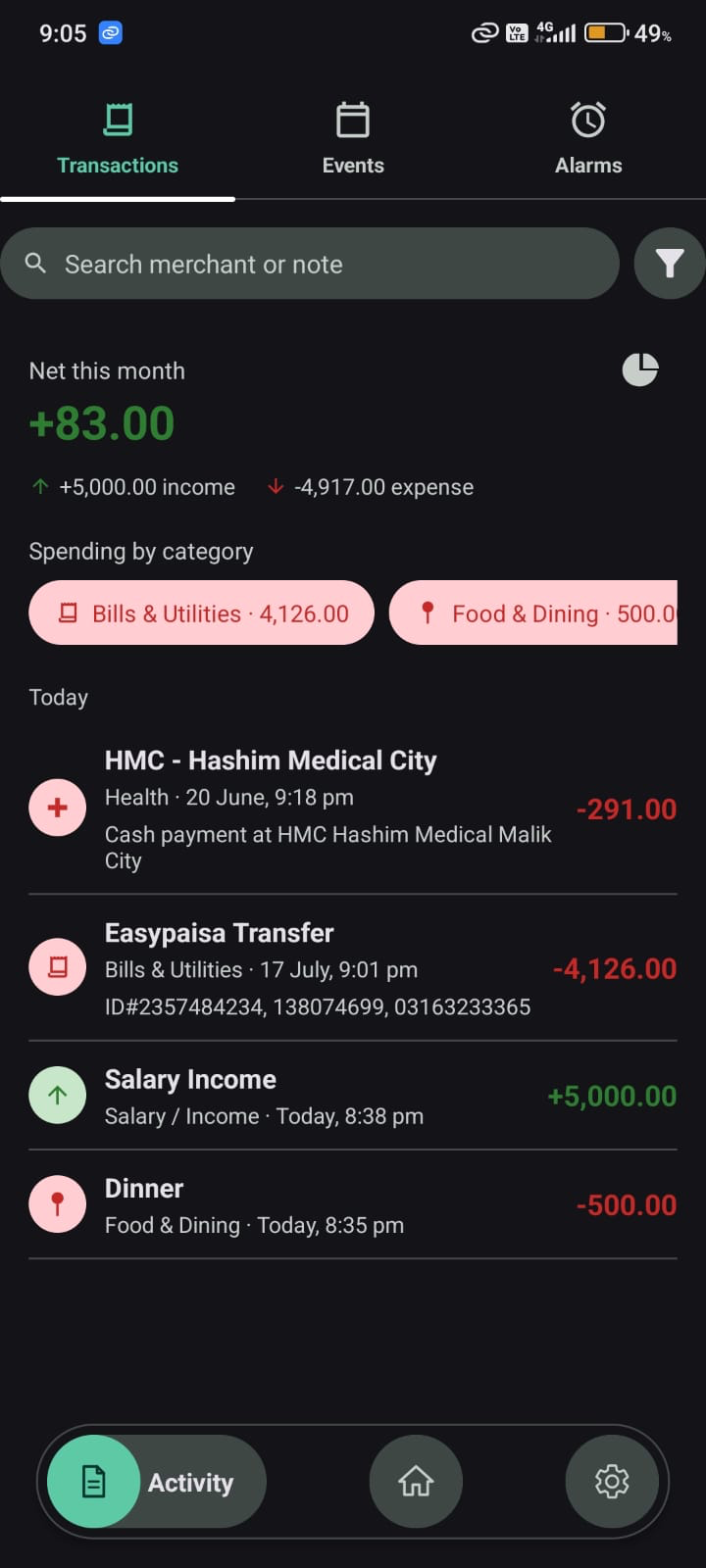
Net income and expenses for the month, broken down and ready to scan.

OneTap Transactions tab showing monthly net balance

A log of every alarm

See what you've asked OneTap to set, with a shortcut to the Clock app.

OneTap Alarms tab

Just say it

Hands-free device control — volume, brightness, flashlight, and more.

OneTap voice commands help screen

Make it yours

Light, dark, or system theme, and every feature toggled on only if you want it.

OneTap Settings screen with theme picker and feature toggles

Slice it however you like

Filter by type, category, or date range to find exactly what you're looking for.

OneTap transaction filters by type, category, and date range
How it works

Three steps, no manual entry

1

Paste, share, or speak

Drop in a message, share text from another app, or tap the bubble and say what you need scheduled.

2

OneTap reads it

It works out the title, date, time, duration, and whether it's an event, an alarm, a reminder, or an expense.

3

You confirm, it's done

Double-check the details on the preview card, tap confirm, and it's on your calendar, logged, or set as an alarm.

FAQ

Questions, answered.

Is OneTap free to use?

Yes. There's no account to create and nothing to pay for — OneTap works fully on your device with no sign-in required.

Does OneTap listen to me all the time?

No. The microphone only activates while you're actively tapping to talk — never in the background, and never without you starting it.

Where is my data stored?

On your device, first and always. Text you paste, share, or speak is sent to a third-party AI service to be interpreted, then discarded — OneTap has no servers of its own to store it on. Optional backups go directly into your own Google Drive.

Will OneTap ever create something without asking?

Never. Every event, alarm, reminder, or expense shows on an editable preview card first — you review, edit, or cancel it before anything is actually created.

Can I back up and restore my data?

Yes. One tap backs up your transactions, events, and alarm history to a private folder in your own Google Drive, and you can restore it just as easily on any device.

When is OneTap launching?

OneTap is still in development. Join the waitlist below and you'll get one email the moment early access opens — nothing else.

Will there be an iOS version?

OneTap is Android-first for now. If there's enough demand, iOS is on the table down the line.

Get early access

OneTap is still in development. Leave your email and you'll be the first to know when it's ready to try.

No spam, just a heads-up when OneTap is ready. Unsubscribe anytime.